
EDG product · Mobile app for iOS & Android
Every chemical delivery, validated at the tank
Validate every chemical delivery with 3-point QR scanning, safety checks and offline-ready cloud sync on iOS and Android.
Overview
Signal makes sure the right chemical goes into the right tank, every time. Drivers scan the customer bill of lading, the product or compartment and the destination tank, and Signal checks the combination against delivery records before the transfer is completed.
A wrong product in the wrong tank is expensive, dangerous and hard to undo. Paper checklists and memory do not scale across drivers, sites and shifts.
Signal puts the safety protocol in the driver’s hand: guided scanning for bulk, neat and partial drum deliveries, tank level entry, photo documentation and a mandatory safety delay, with every scan logged and synced to the cloud, even from sites with no coverage.
Key features
What you get
Built for drivers in the field: large touch targets, guided steps and full functionality with or without a signal.
3-point validation
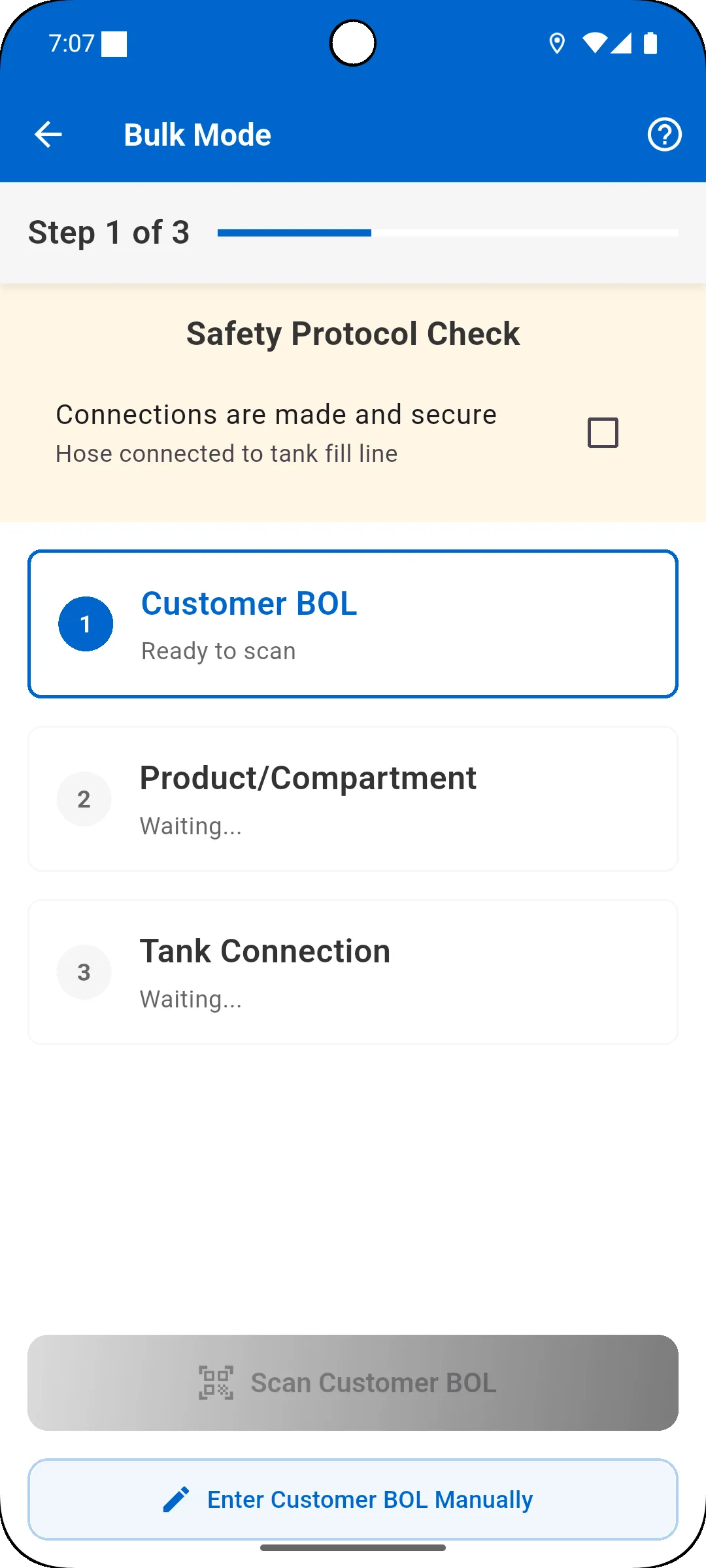
Scan the customer BOL, the product or compartment and the tank connection. Signal verifies the combination against delivery records and blocks duplicates.
Bulk, neat and partial drum modes
Guided workflows for trailer deliveries with hose connections, containerized chemicals and partial container transfers.
Built-in safety protocols
Connection confirmation before scanning, tank level entry and a mandatory 3-minute safety delay after bulk deliveries.
Photo proof and notes
Capture before-and-after photos, automatically tagged with time, GPS location, user and the related scan, plus typed or voice notes.
QR label printing
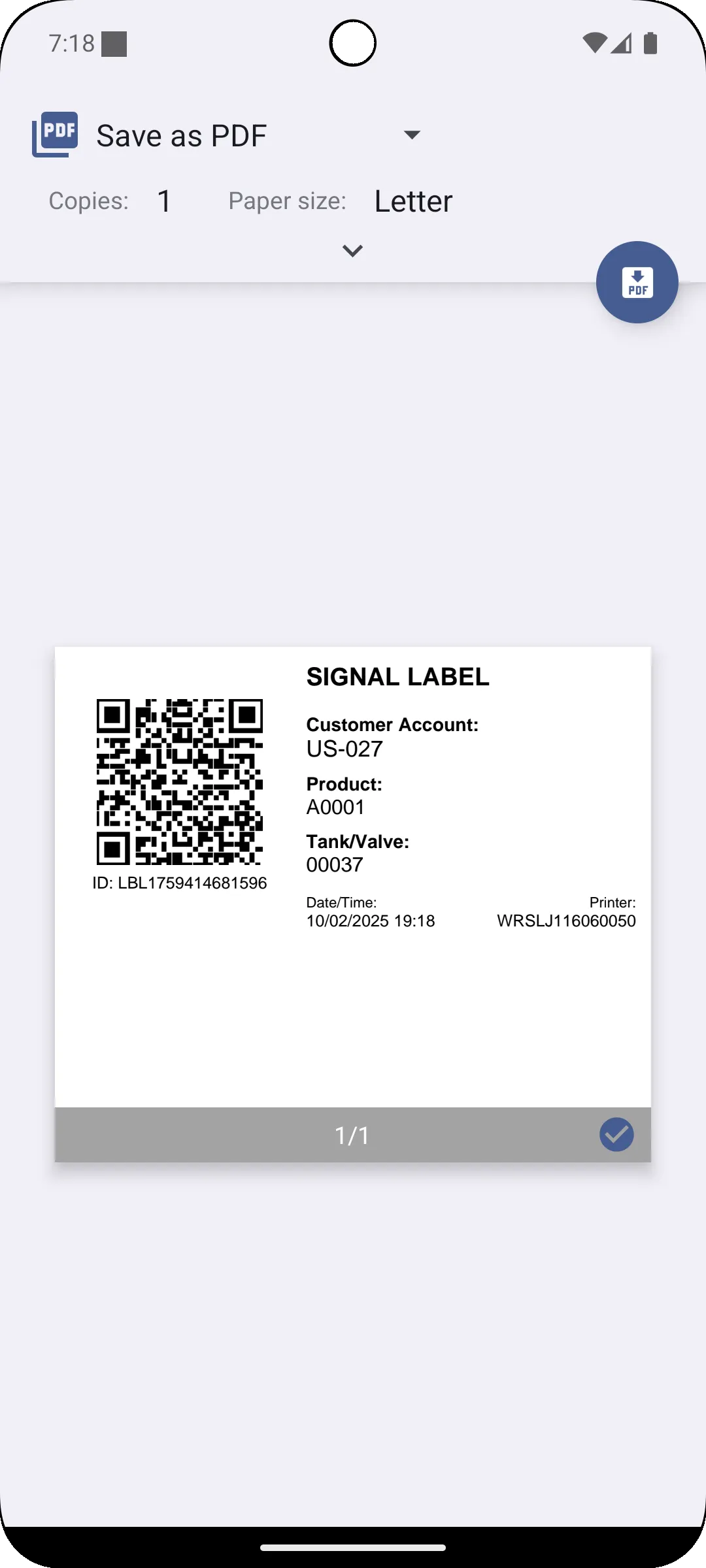
Generate tank and container labels from customer, product and tank data and print them on any Bluetooth thermal printer.
Offline-first cloud sync
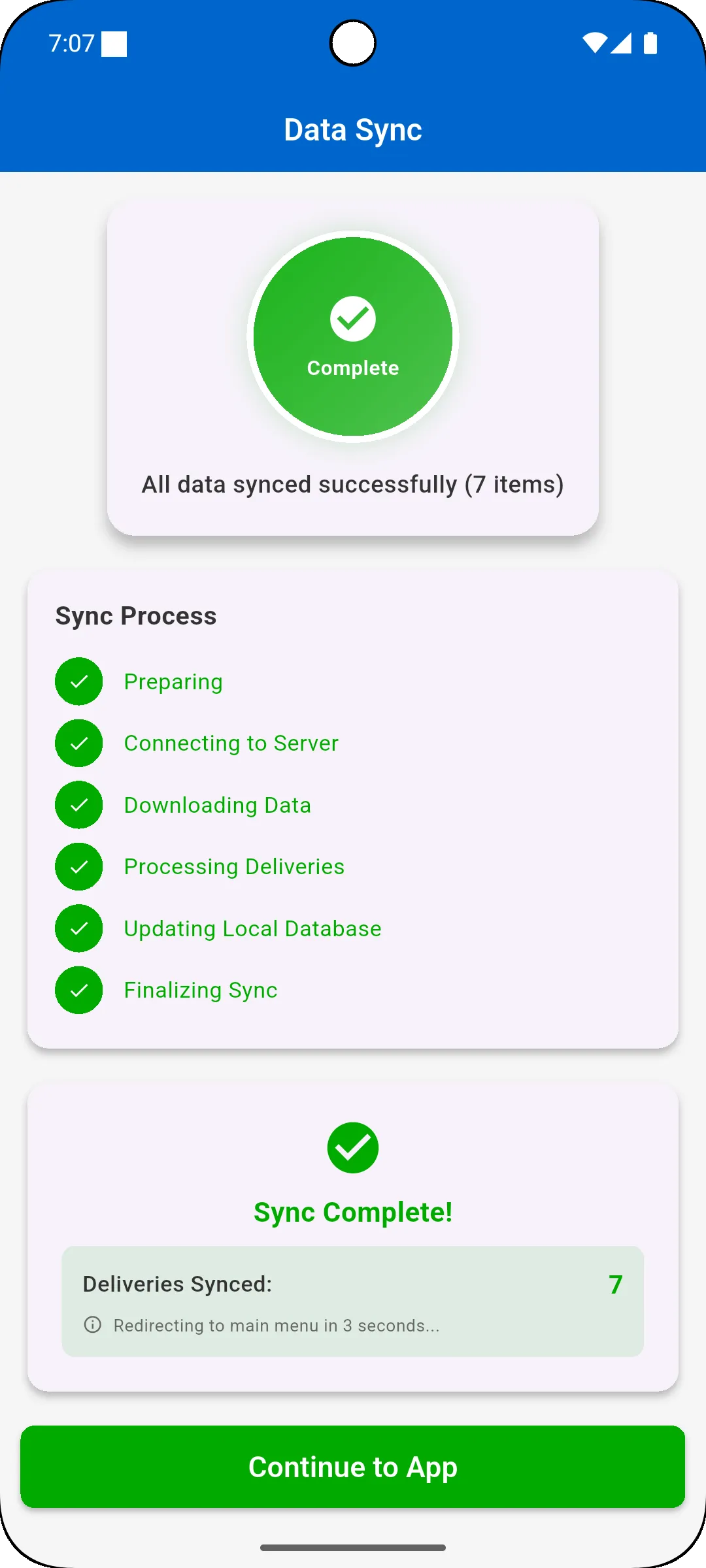
Scans, photos and notes work without coverage and sync automatically, by priority, once the device is back online.
How it works
Simple steps, one connected process
Receive the delivery
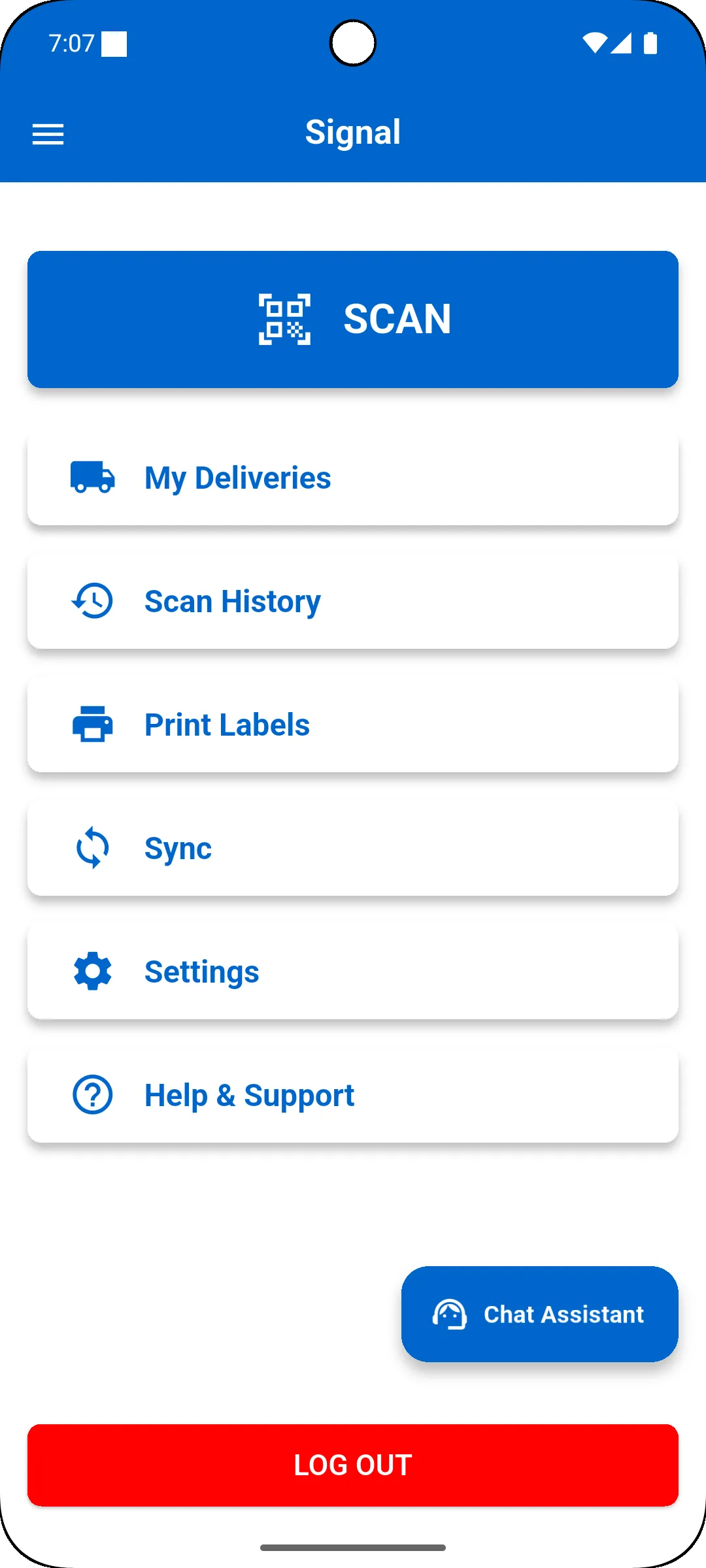
The driver sees assigned deliveries with customer, address, products and special instructions.
Confirm safety
On site, the driver confirms the connections are made and secure before scanning starts.
Scan 3 points
Customer BOL, product or compartment, then the tank connection, verified against delivery records.
Record levels & photos
Enter starting and ending tank levels and capture photos and notes as proof of delivery.
Complete & sync
Complete the delivery, observe the safety timer and sync the record to the cloud.
Screenshots
See it on the device
Benefits
Safer deliveries, cleaner records
- Prevent wrong-product and wrong-tank deliveries before the transfer completes
- Enforce the same safety protocol on every delivery, for every driver
- Keep a timestamped, GPS-tagged audit trail of every scan and photo
- Capture accurate tank levels for delivery tracking and revenue recognition
- Keep working at remote sites without coverage, with no lost data
- Use the Bluetooth label printers you already have
In detail
Coverage at a glance
Delivery modes
- Bulk: Customer BOL → Product/Compartment → Tank Connection
- Neat: Customer BOL → Product Container → Neatpack Assembly
- Partial drum: volume transfers with source and destination tracking
- Tank level entry and fill level documentation
- Mandatory 3-minute safety delay timer
Field tools
- QR scanning with manual entry fallback
- Photo capture with automatic tagging
- Typed and voice notes
- GPS tracking and delivery map
- QR label printing over Bluetooth
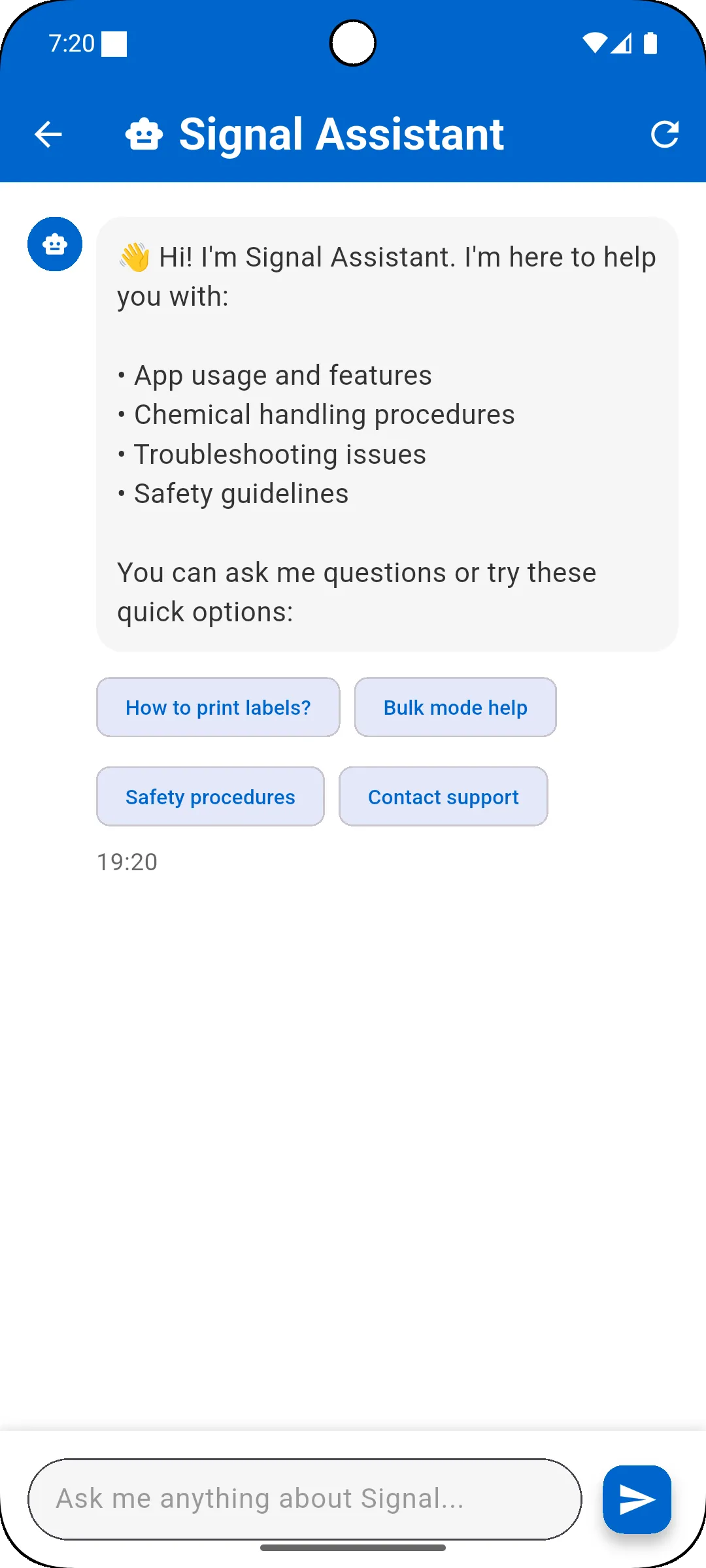
- In-app chat assistant
Data, security & integration
- Offline mode with priority-based sync queue
- Background sync service
- TLS in transit, AES-256 at rest
- PIN and biometric sign-in
- Role-based access and full audit trail
- REST API and webhooks for ERP, WMS and fleet systems
What you’ll need
- iOS 12.0+ or Android 8.0+ devices with a rear autofocus camera
- 2GB RAM and 500MB storage minimum (4GB+ and 2GB+ recommended)
- Camera, location, storage and notification permissions
- A Bluetooth thermal printer (ZPL, CPCL, ESC/POS, TSC or TSPL) for label printing
Who it’s for
- Chemical distributors and delivery fleets
- Delivery drivers
- Warehouse and quality control teams
- Fleet, safety and operations managers
Resources
Learn more and get started
Ask us for a walkthrough of Signal on a device, or talk to us about rolling it out to your drivers and connecting it to your ERP.
- Questionssupport@expertdynamicsgroup.com
FAQ
Signal Mobile App FAQs
What is Signal?
Signal is a mobile app for chemical delivery management from Expert Dynamics Group. It guides drivers through 3-point QR validation of the customer BOL, product and destination tank, records tank levels, photos and notes, enforces safety steps and syncs every delivery record to the cloud.
How does 3-point validation work?
The driver scans the customer bill of lading, the product or compartment, and the tank connection. Signal parses the customer, product and tank IDs and checks the combination against delivery records. If the data does not match, the delivery is flagged and the transfer should not proceed; already completed deliveries are blocked from being processed twice.
Does Signal work without an internet connection?
Yes. Scanning, photo capture, data entry and notes all work offline. Records are queued and synced automatically by priority when the device reconnects, with basic validation offline and full validation on sync.
Which printers can print Signal labels?
Any Bluetooth thermal label printer that supports ZPL, CPCL, ESC/POS, TSC or TSPL, including printers from Zebra, Citizen, TSC, Xprinter and others.
Which devices are supported?
iPhones and iPads on iOS 12.0 or later, and Android phones and tablets on Android 8.0 or later, with a working rear camera.
Can Signal connect to our ERP?
Yes. Signal offers a REST API, webhooks and bulk import and export for integration with ERP systems such as Microsoft Dynamics, SAP and Oracle, as well as WMS, fleet management and CRM systems. We can scope the integration with you.
How is data secured?
Data is encrypted in transit with TLS and at rest with AES-256. Users sign in with their own credentials, optionally with biometrics, access is role-based, and every scan and change is logged for audit.
More EDG products
Built by EDG
EDG Export Document Management (EDM)
Automate U.S. export documents and AES/EEI filing to CBP, right inside Dynamics 365 Finance & SCM.
EDG Persona Security Tool for Dynamics 365
Get total visibility into permission levels and security roles in your Dynamics 365 environment.
RUNIQ Test Automation for Dynamics 365 F&O
Record, organize and run end-to-end Dynamics 365 Finance & Operations test cycles in minutes, with no scripts to maintain.
See Signal Mobile App in action
Book a walkthrough of Signal on a device and talk through how it fits your delivery, safety and ERP processes.